Kale Computer
Kale is a computer built for curious kids. It follows each child's interests and turns them into real learning, pairing topics picked for them with hands-on activities and the freedom to ask anything. One curiosity can branch across subjects, so exploring, making, and understanding all live in one connected place.




Hardware
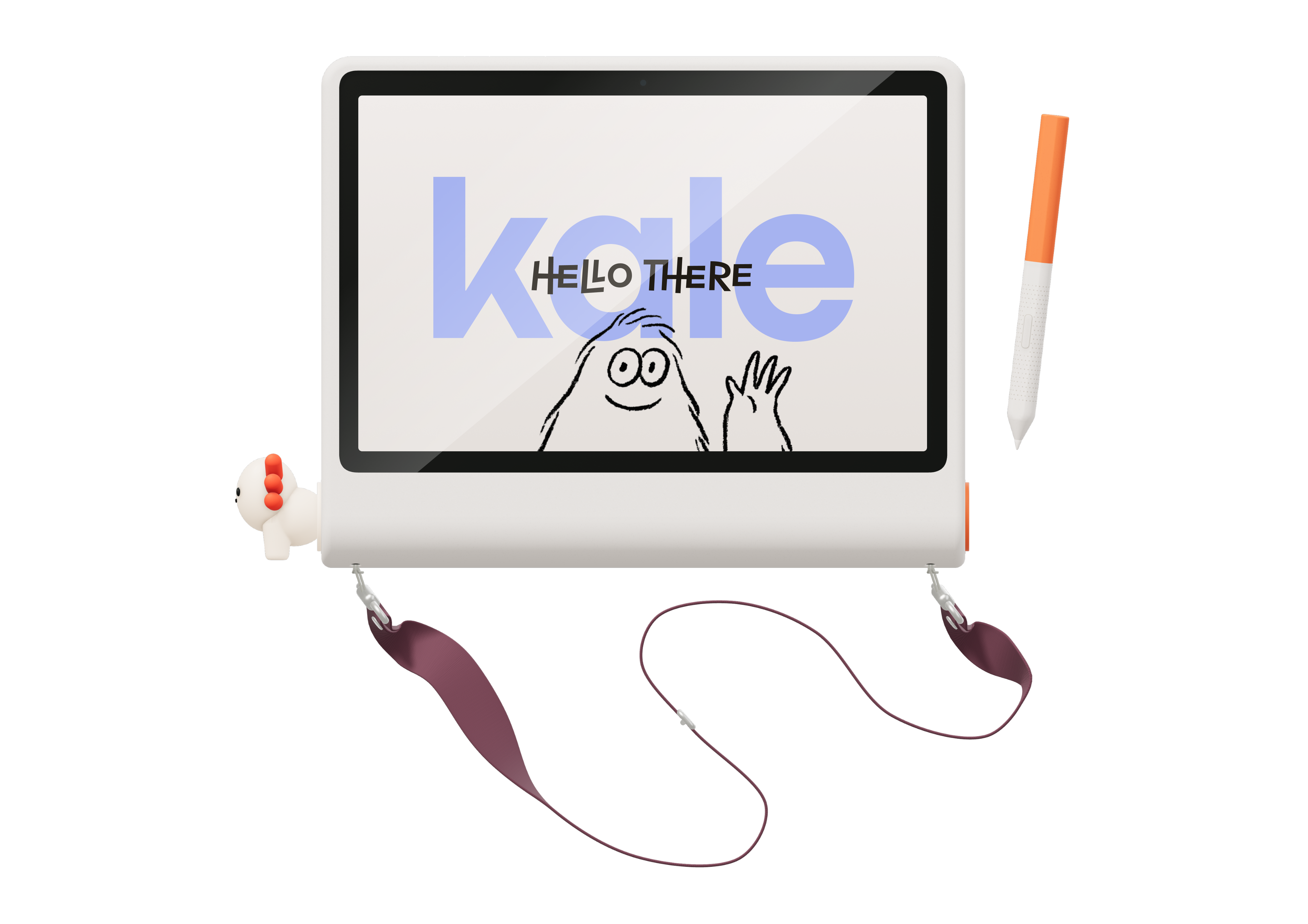
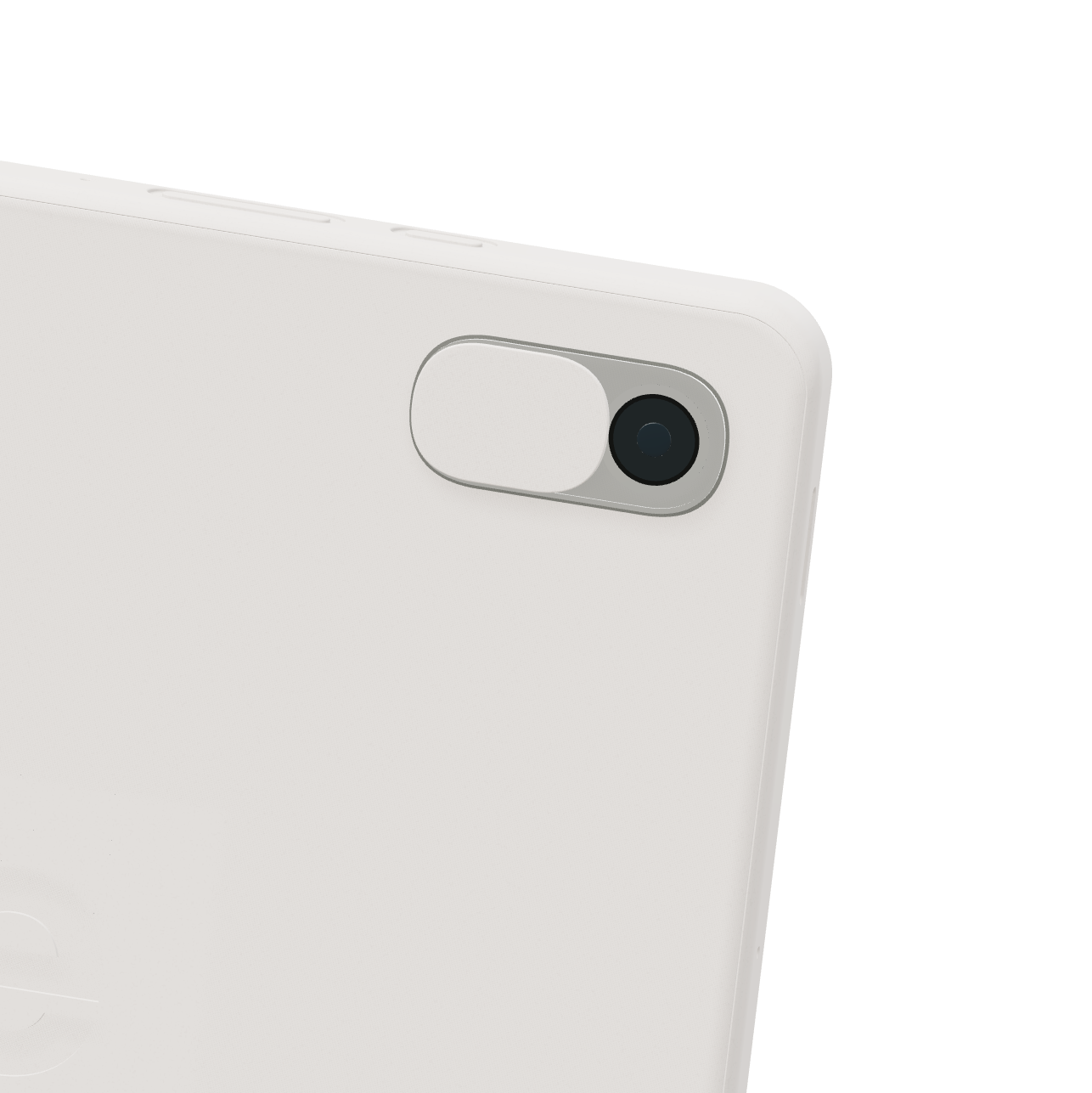
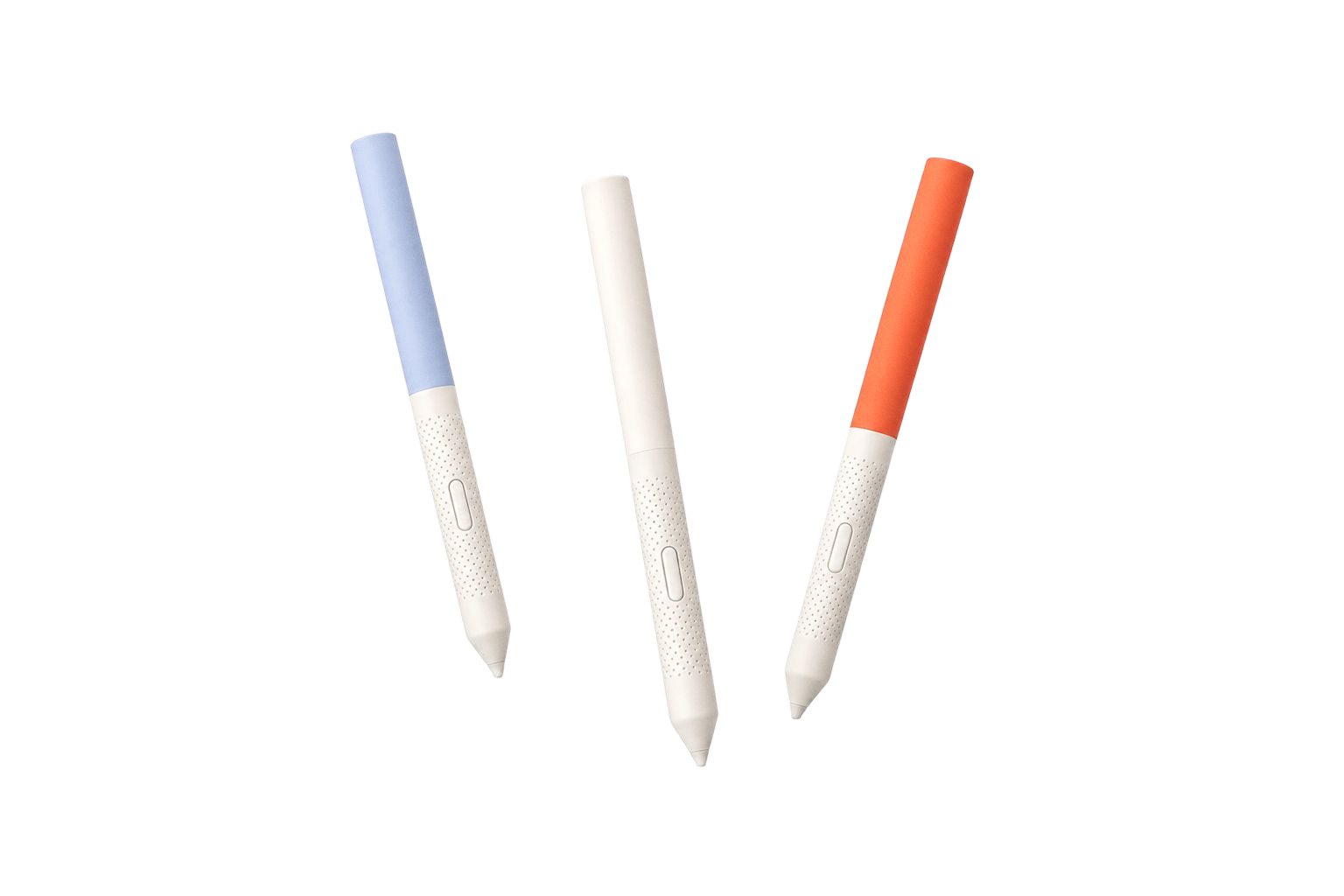
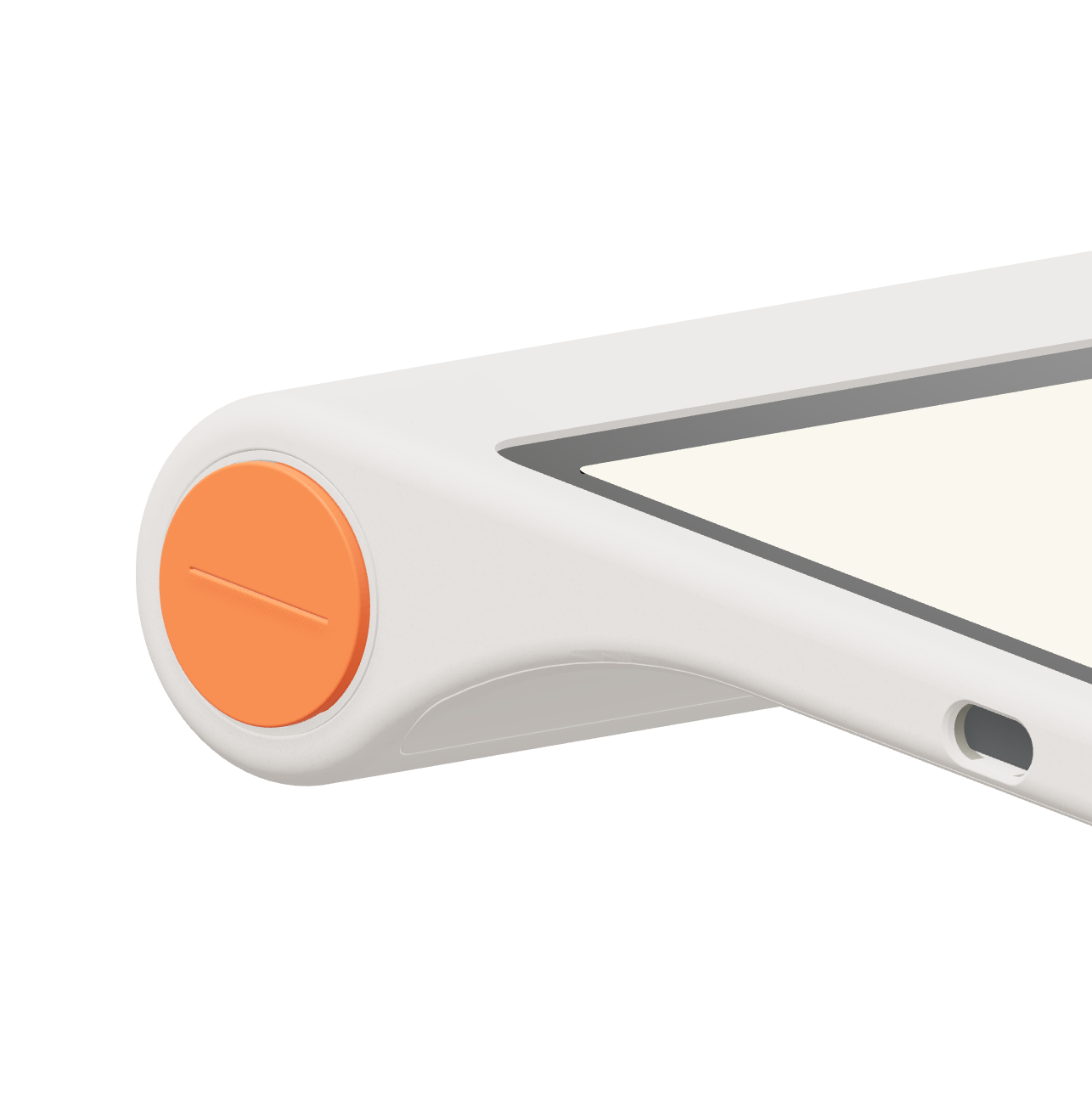
The hardware was designed in collaboration with DOS for leaning in at a table: a raised bump makes drawing comfortable and gives the device a clear working posture. A strap makes it easy to carry, and a physical camera cover gives families a simple, visible way to protect privacy. Kalibitz let kids customize the device and make it their own, and a barrel built into the body stores the pen so it stays with the device and does not get lost.
Tablet UX
The Explore tab rethinks what a modern encyclopedia can be. Unlike a static menu to drill down, Kale flips that around and leads with questions to spark curiosity. The home screen offers a fresh mix every day across nature, history, art, and more, and it learns what each child loves, so the questions grow more personal over time.
Tapping a question opens a conversation with short answers and pictures that keep kids engaged. Each response is designed to be just enough to satisfy the moment without overwhelming them, pairing simple language with visuals that make abstract ideas feel concrete. After each answer, kids can ask follow‑ups, pivot to a related topic, or jump straight into an activity.
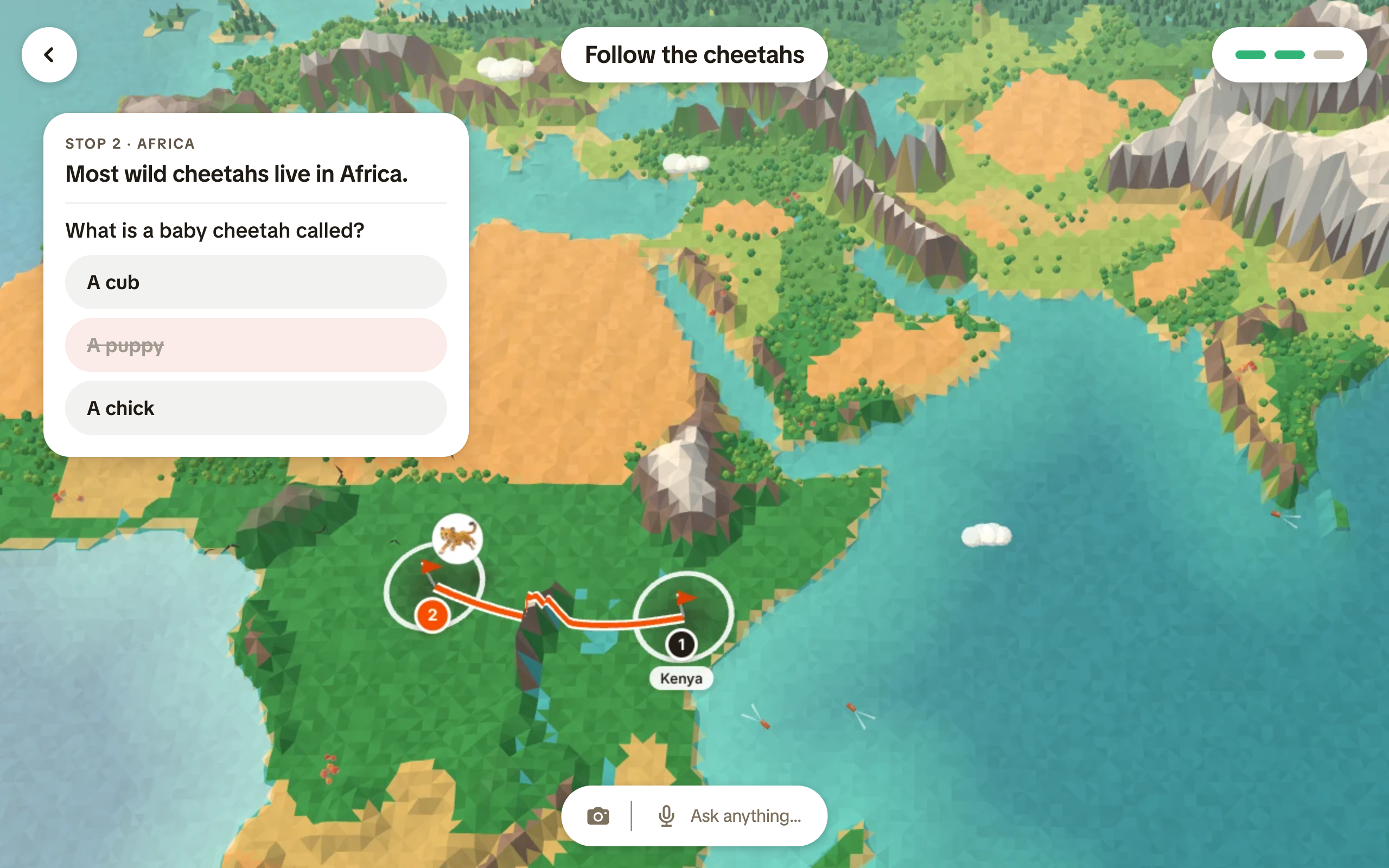

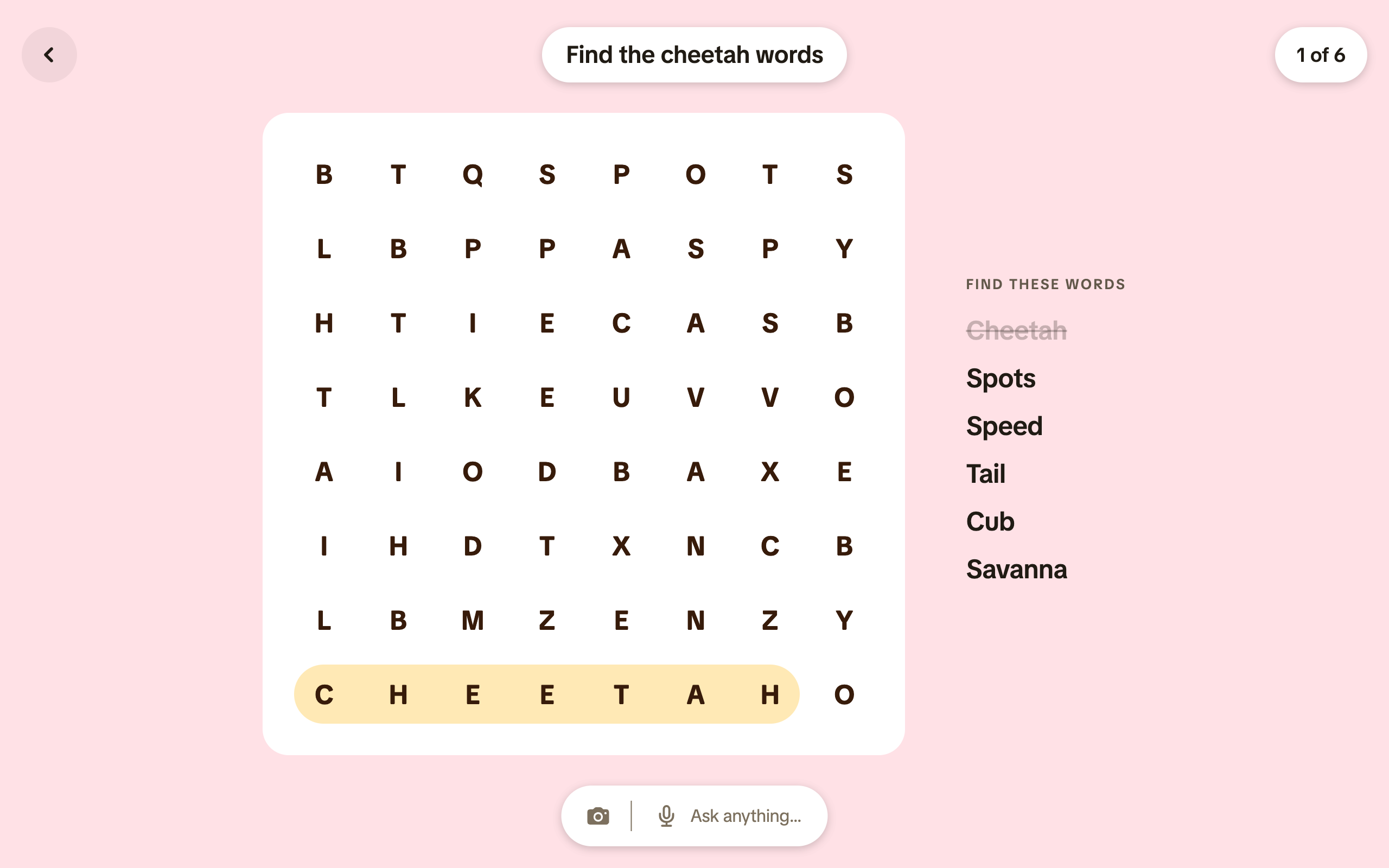
The 'Ask Anything' pill sits just above the content, so they never have to back out of what they’re doing to get curious. They can point the camera at something in front of them or simply speak a question, and Kale instantly turns that moment into a dialogue. Over time, these spontaneous questions become a thread that connects what’s on the screen with what’s in the room, giving kids the sense that the device is paying attention to them, not the other way around.
Parent App
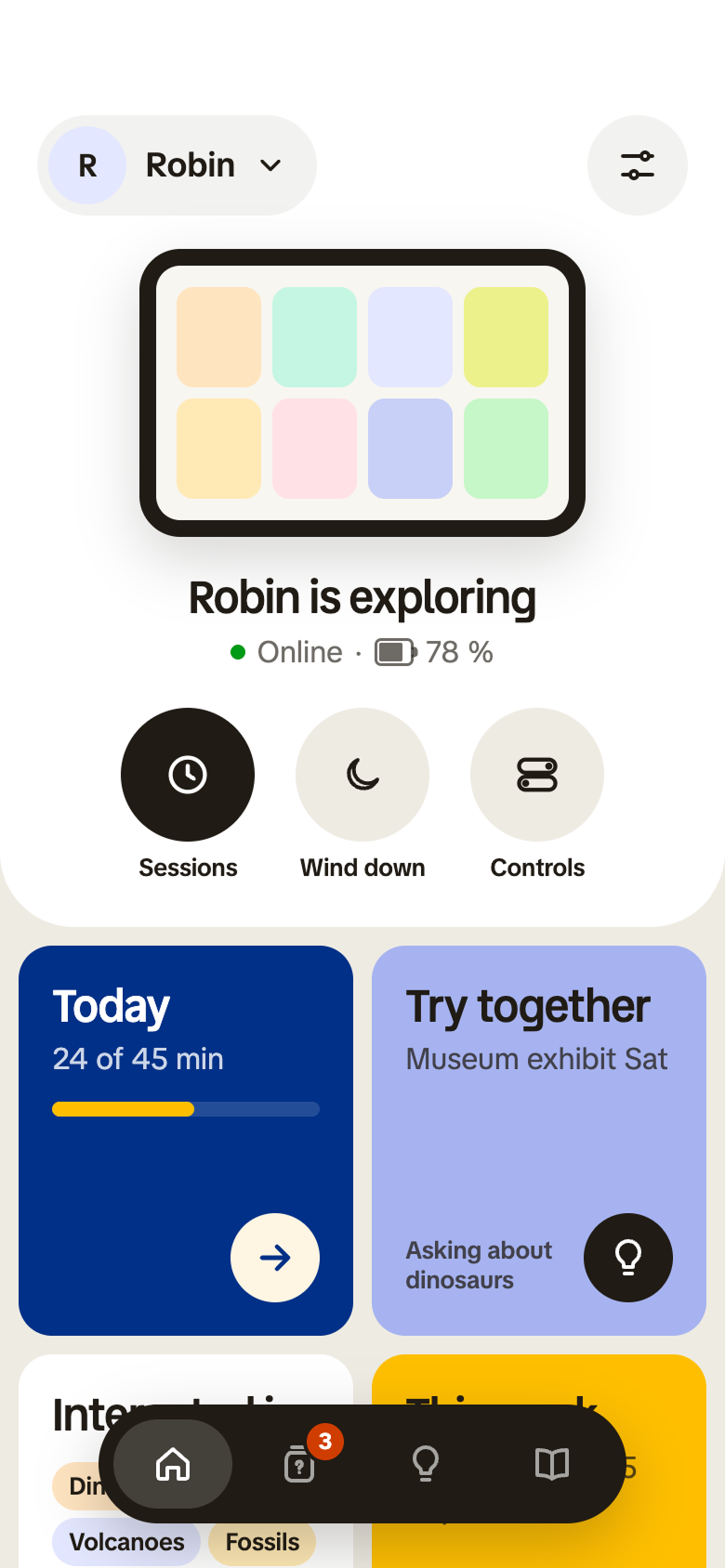
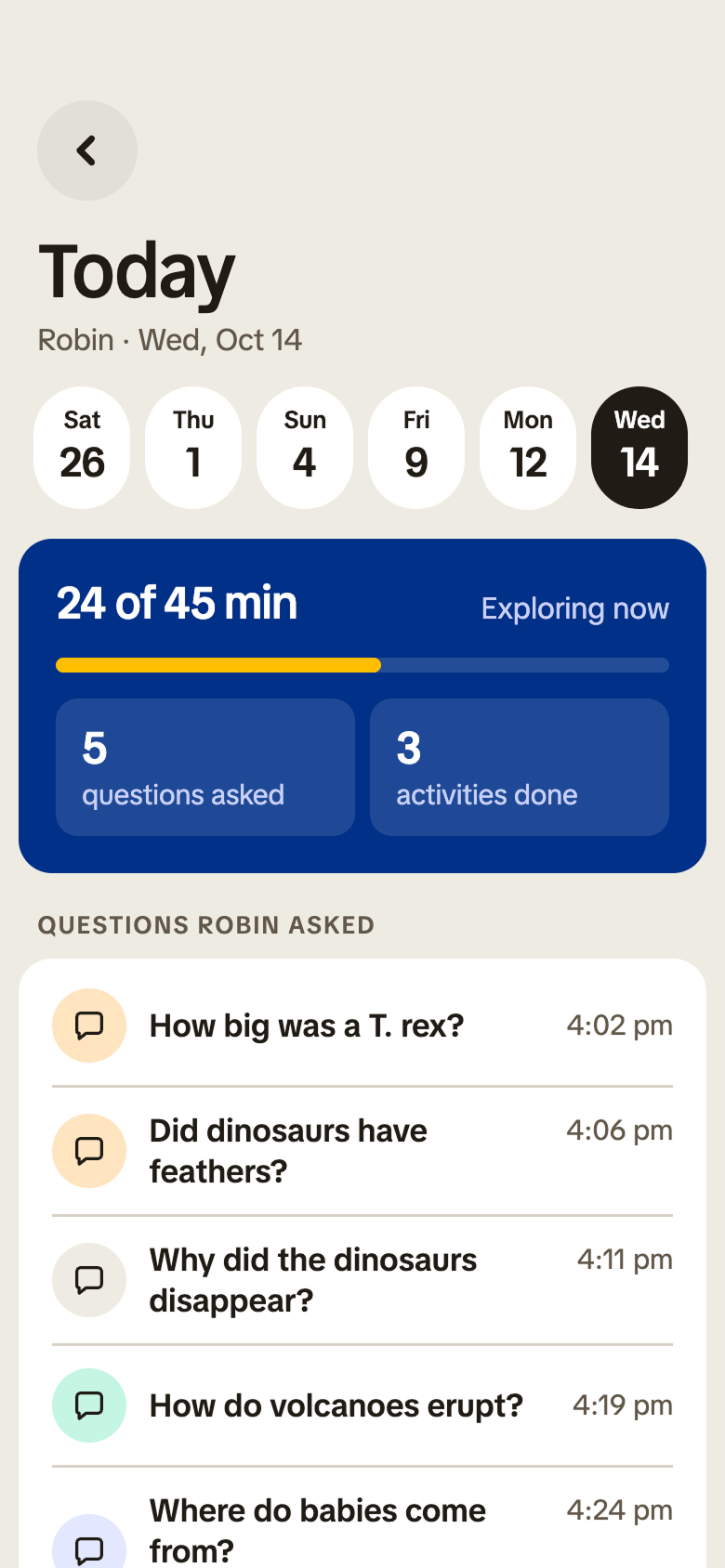
The home view shows whether a child is online, how far they are into a session, and what themes are driving their questions right now. You can tap into the Today card to break that down into minutes used, questions asked, activities completed, and the actual questions a child brought to the device. The design helps parents spot emerging interests or worries at a glance and decide when to simply encourage more exploration and when to step in.


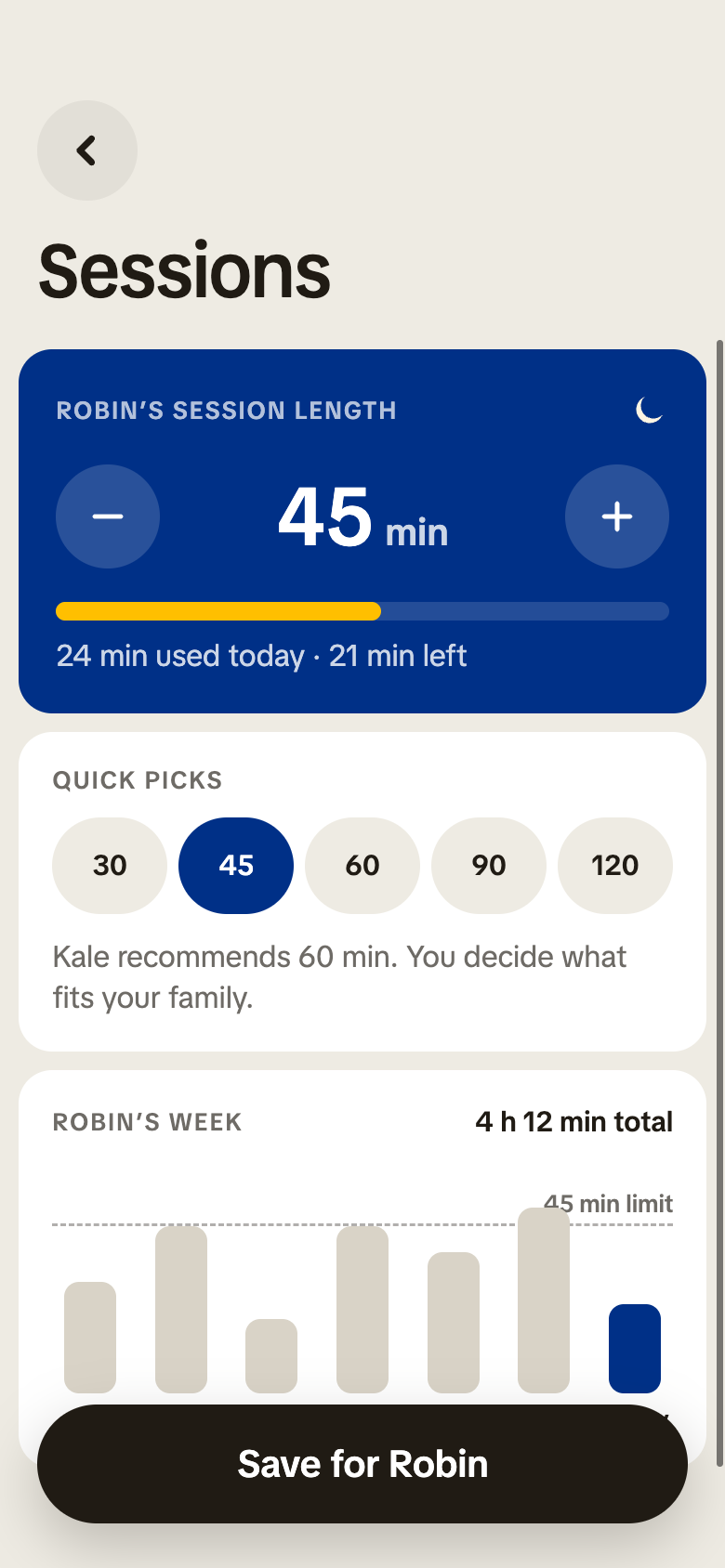
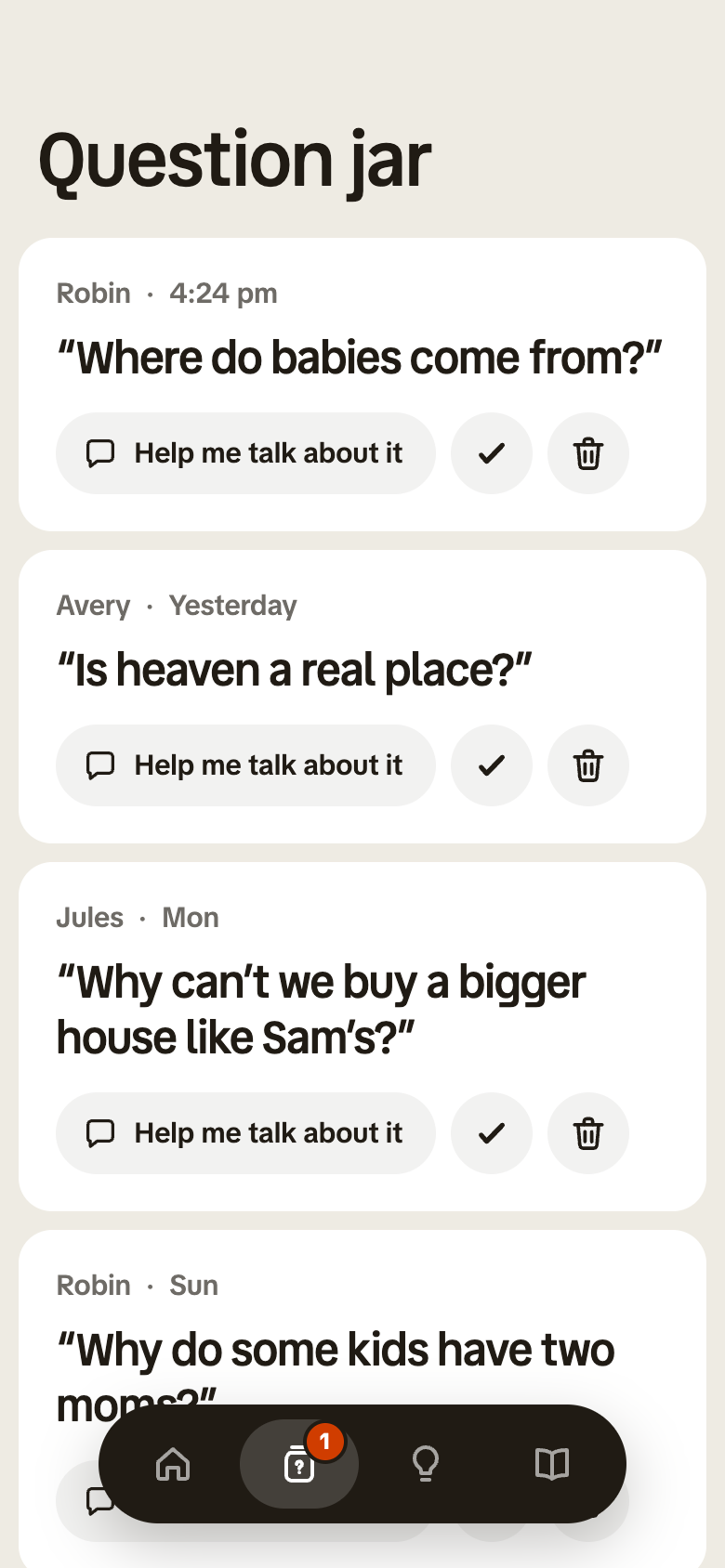
Instead of handing over a bottomless feed, parents define clear boundaries around time and content, so screen time feels more like a planned activity than a habit. If a child wanders into a question that a parent would rather answer themselves, Kale sends the topic to the parent app, offers age-appropriate context and talking points, and helps them navigate a tricky subject in their own words. The goal is to give parents better tools, so the most important conversations still happen face to face.
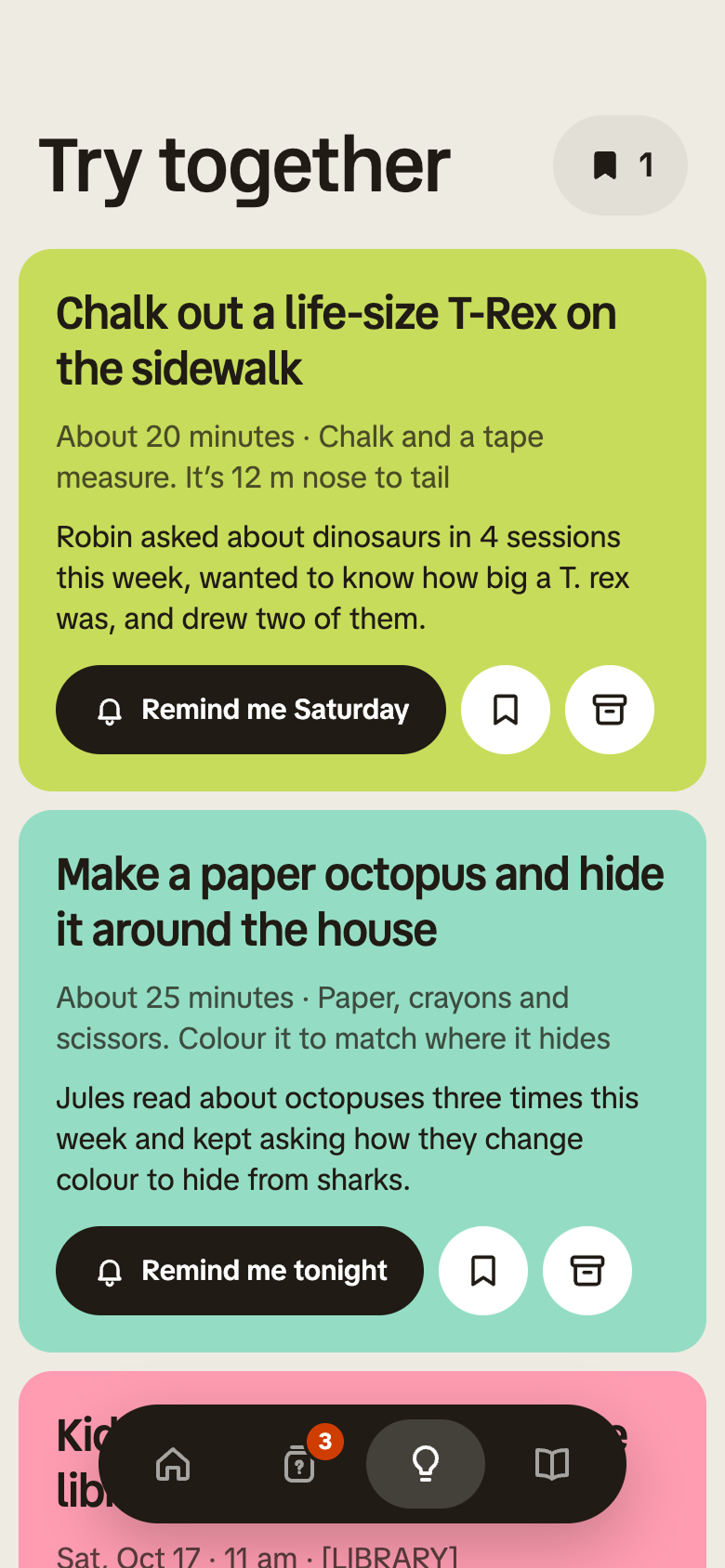
When Kale notices a pattern, like a kid who keeps asking about volcanoes, planets, or how animals live, it offers simple things they can do away from the screen: sketching what they just learned, building a model out of cardboard, going outside to spot shapes in the clouds, or trying a small experiment at the kitchen table. Some prompts are designed for kids to try on their own, and others are meant to be done together with a parent, turning quick questions into small daily rituals.