Online Retirement
This project is part of a presidential initiative to modernize the federal government’s digital infrastructure. Before the initiative, federal employees had to navigate complex paper forms to receive their benefits, which could take up to 7 months. The system now helps 2.3 million federal employees get their first paycheck approved in under 7 days, with no paperwork.
The large majority of this work was led by Marimar Cabrero under the Designer in Residence program at Valdivia Works.



Services
Date
2026
Retire Ready
A pre-retirement tool that gives employees agency to prepare documents early, understand their options, and test decisions before anything is official, while giving HR a clear, low-noise way to stay in the loop.
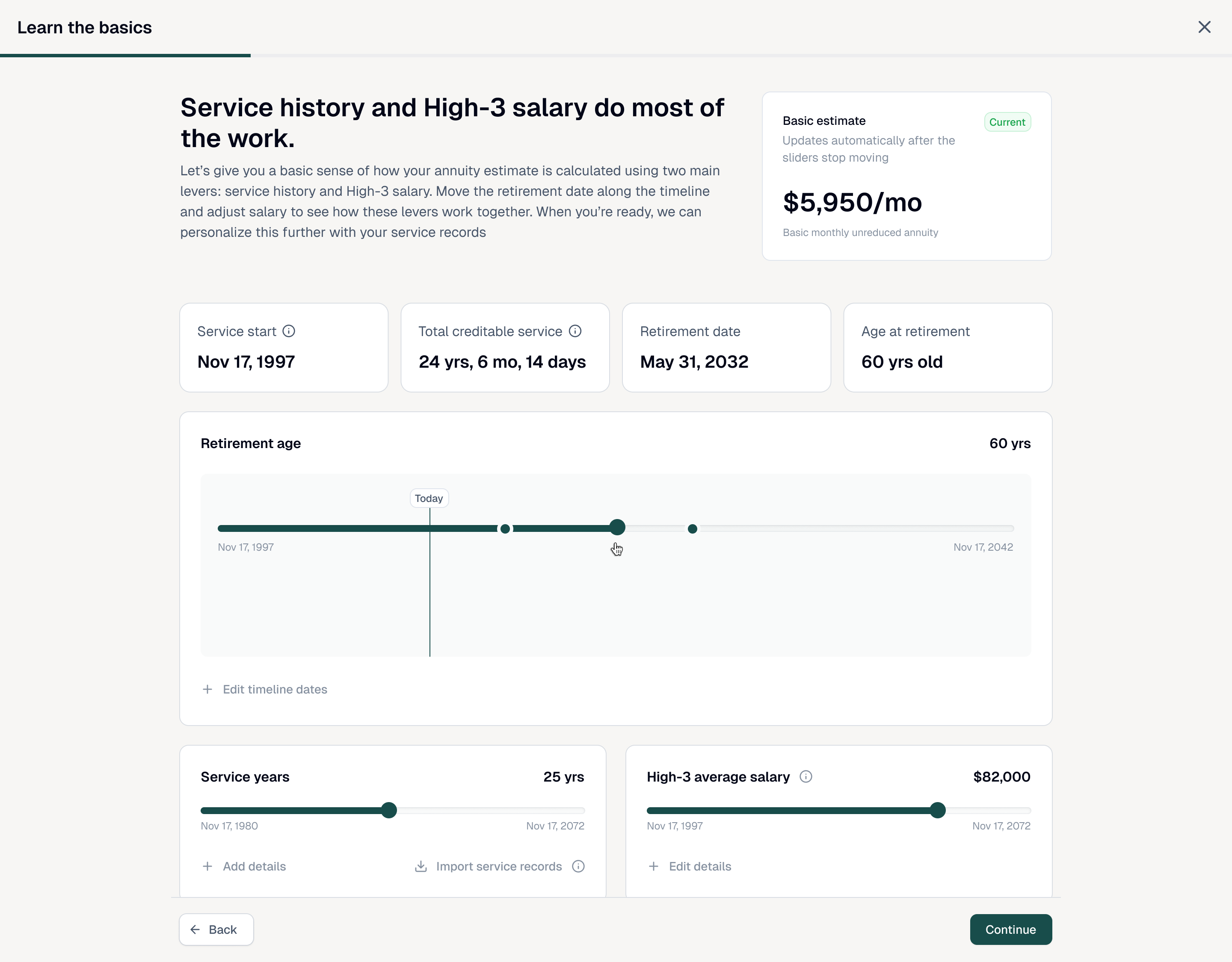
A self-service estimate built from real service history and salary data.
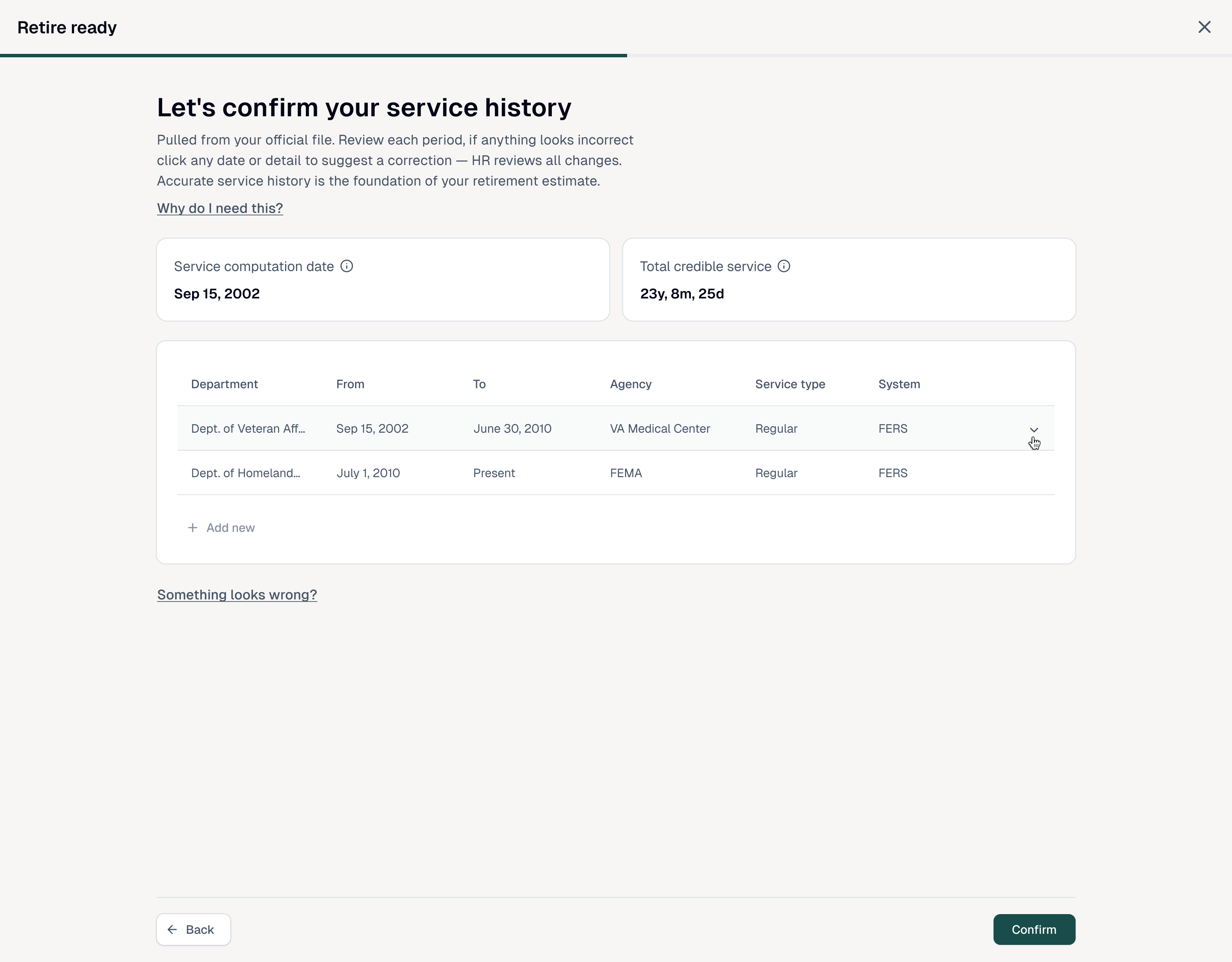
Reviewing service history in Retire Ready.
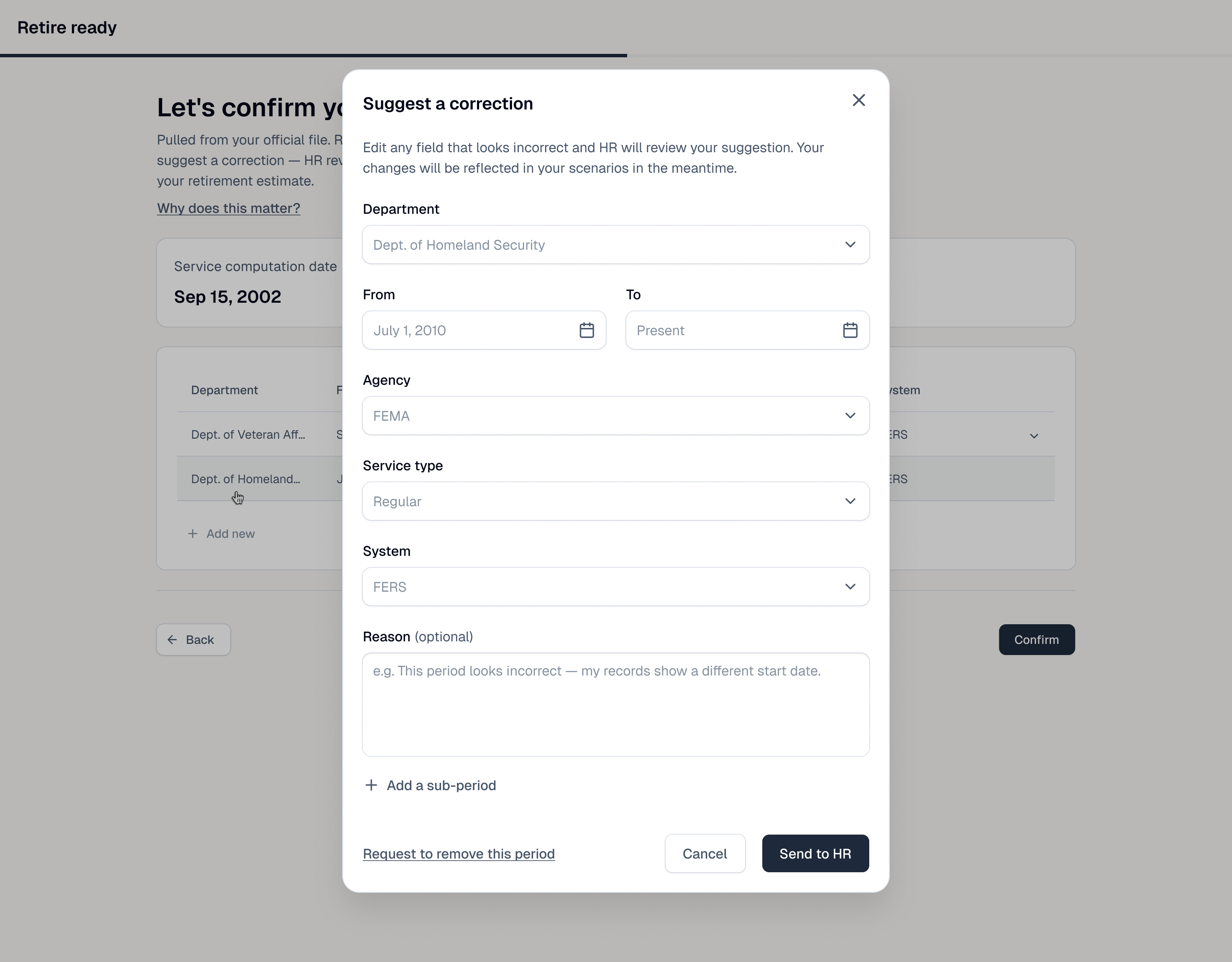
Suggesting a correction without leaving the review flow.
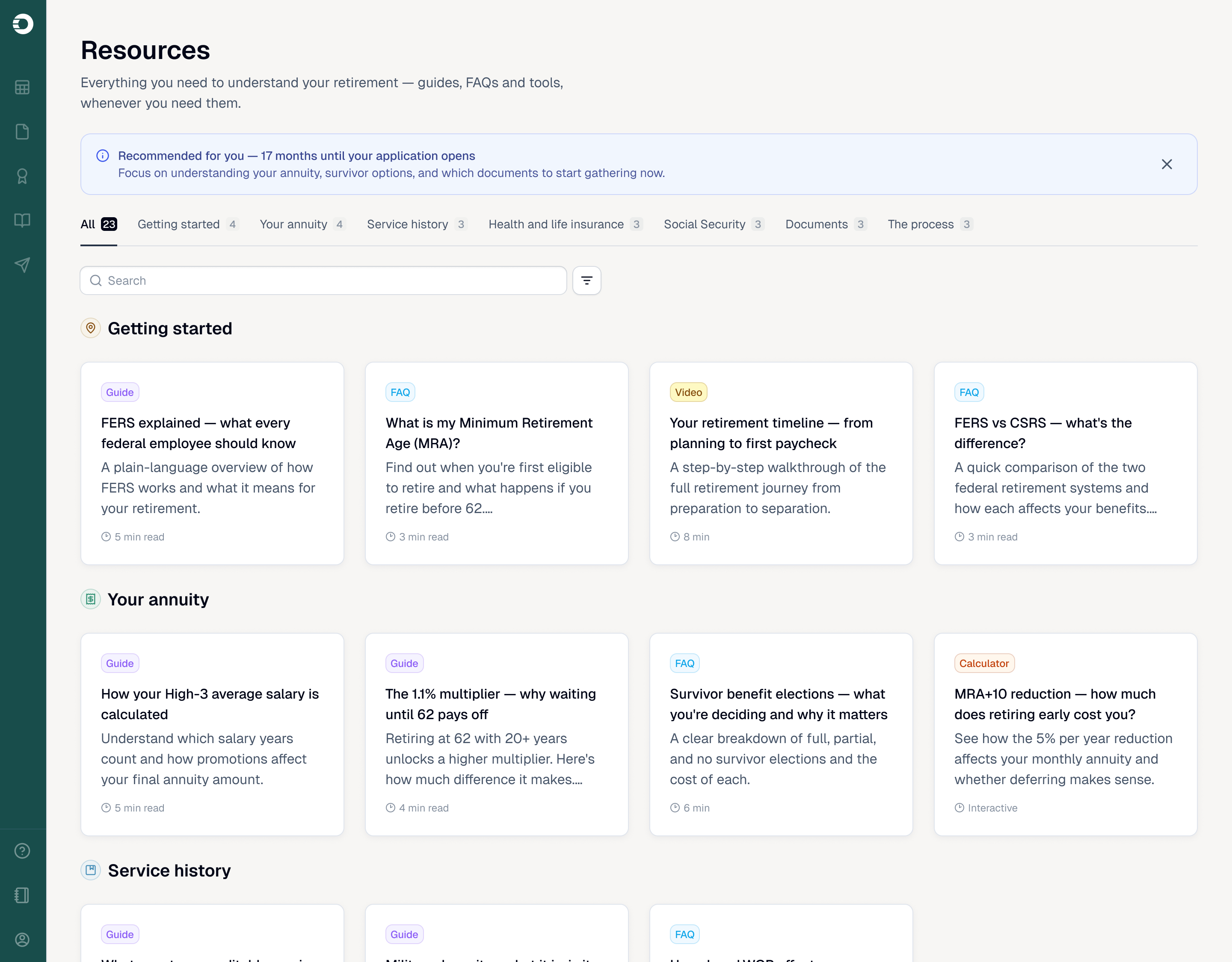
A dedicated resource library explains retirement concepts through guides, FAQs, videos, and calculators.
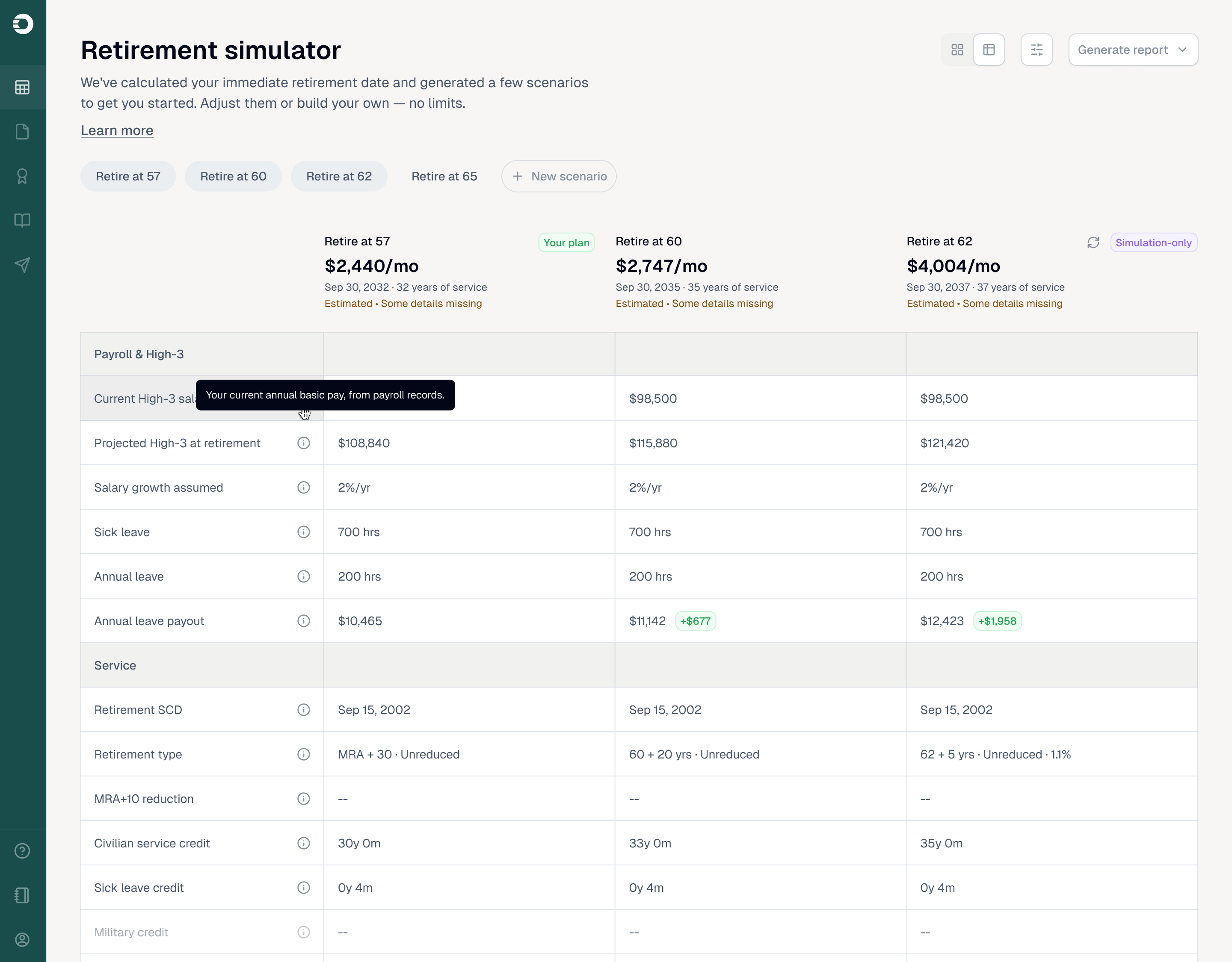
Employees can create and compare retirement-age scenarios.
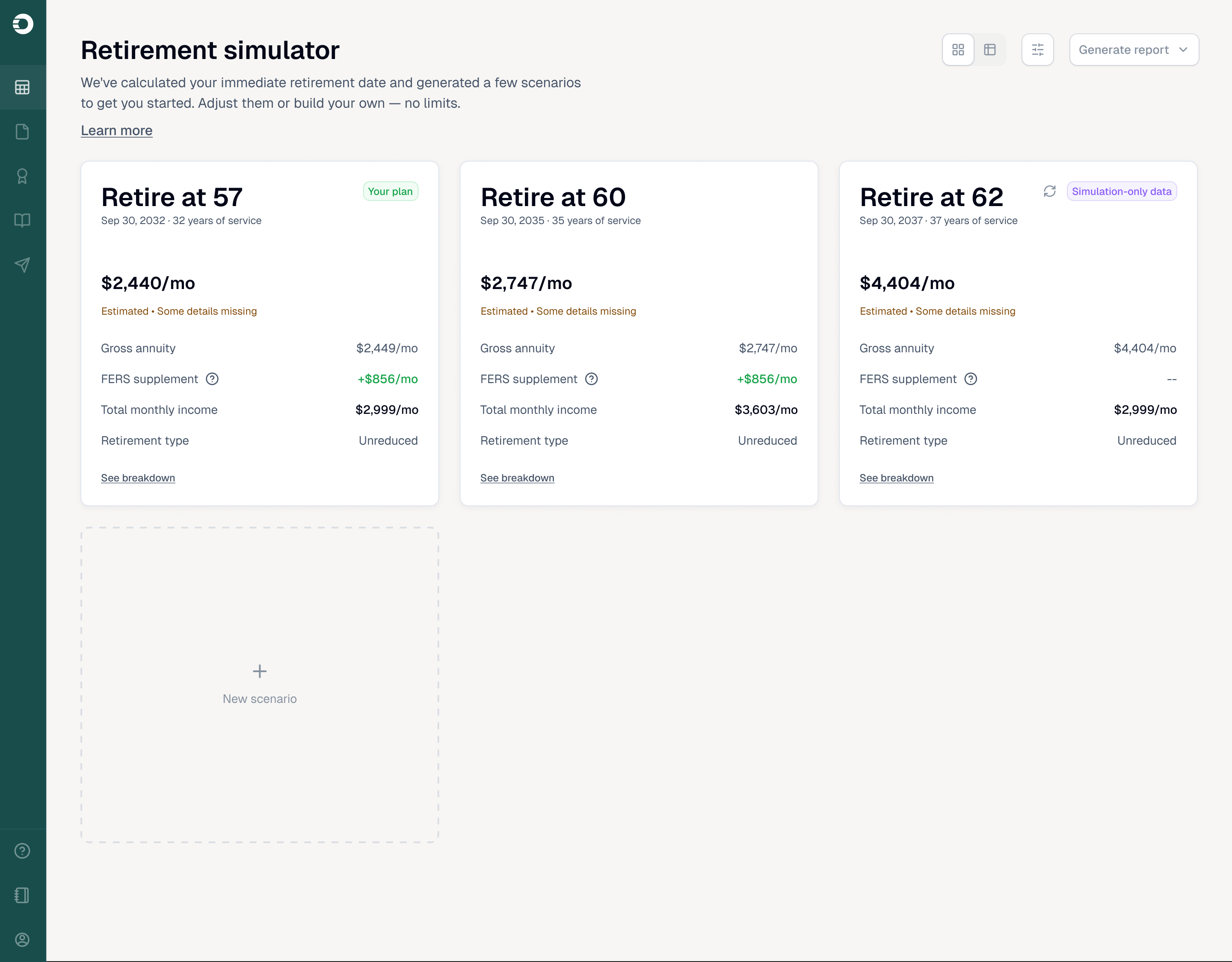
A detailed comparison shows the effect of each scenario.
ORA
The platform federal employees use to officially retire. It replaces a complex obstacle course of paper forms with a guided application that walks employees through retirement in plain steps.
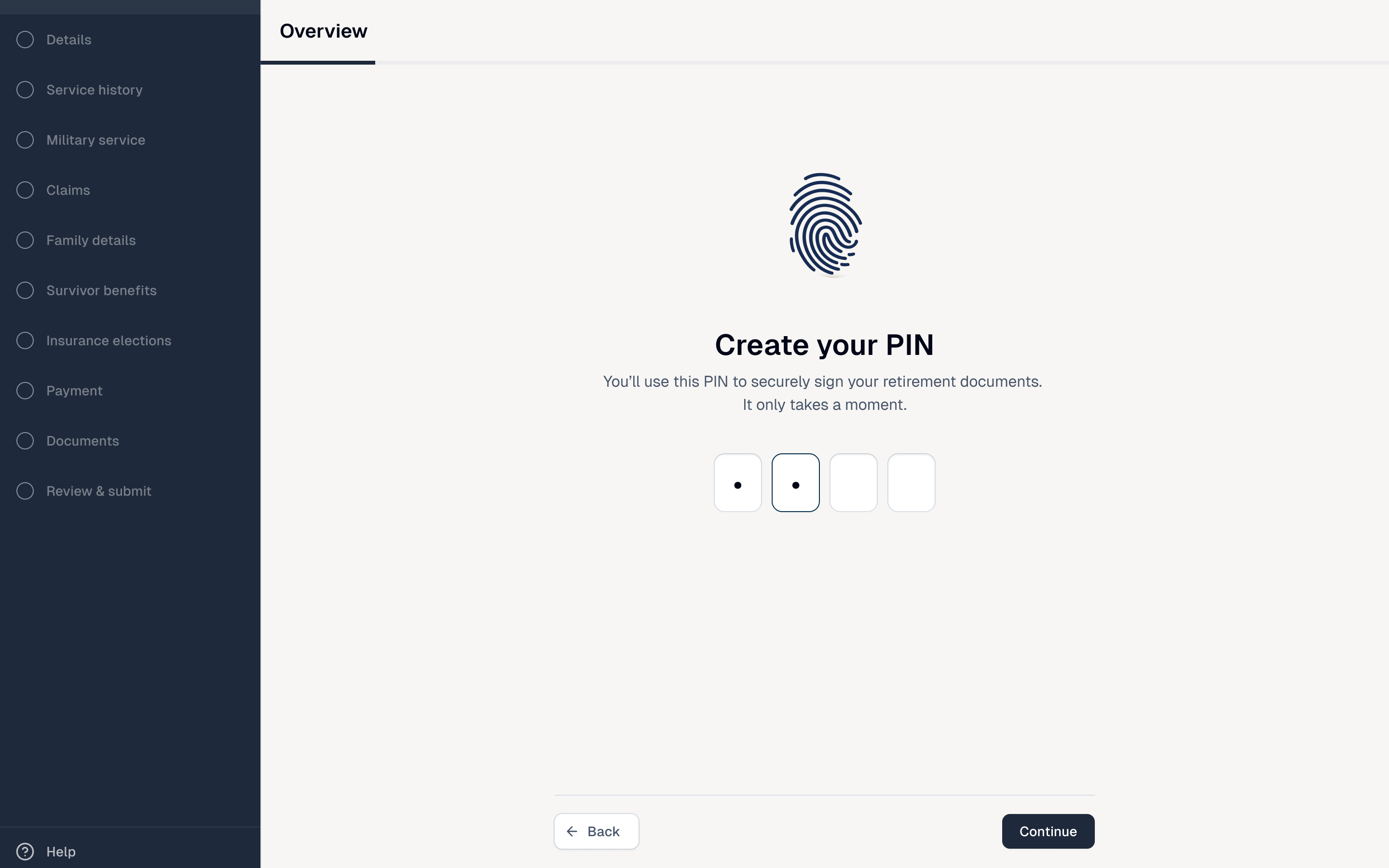
A secure PIN lets employees certify their retirement documents.
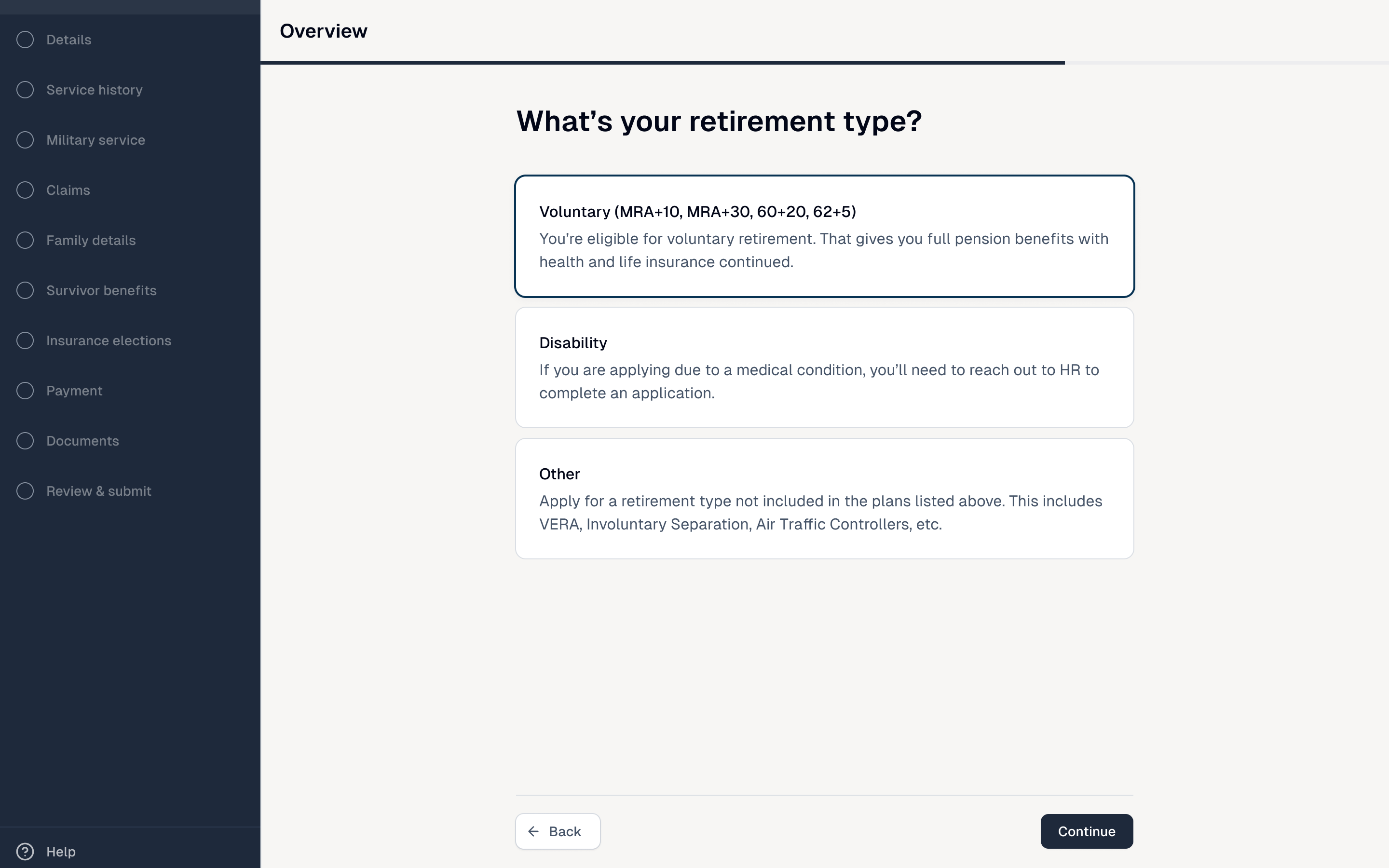
Employees start with the retirement path that fits their situation.
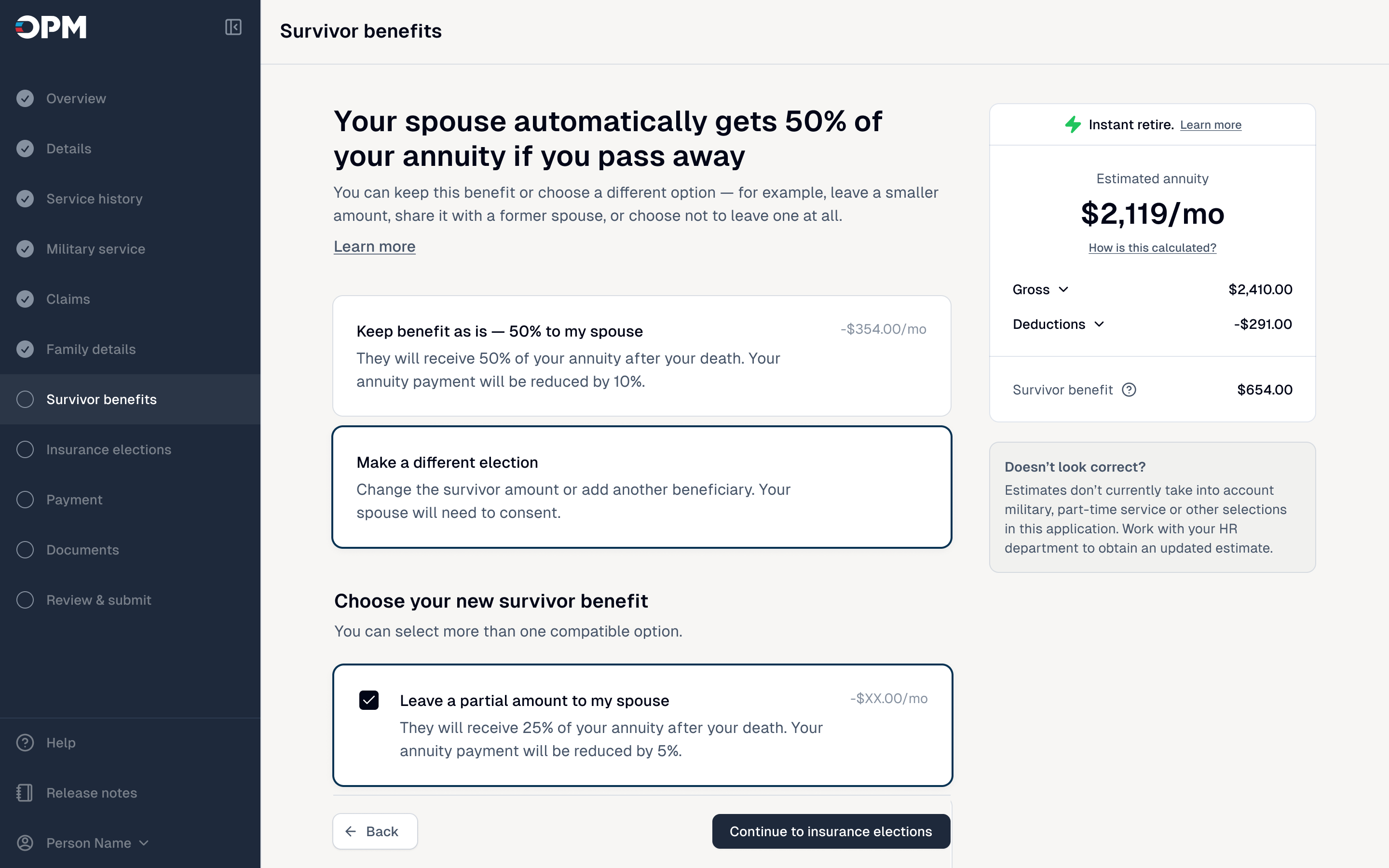
Survivor benefit choices show their effect on the monthly estimate.
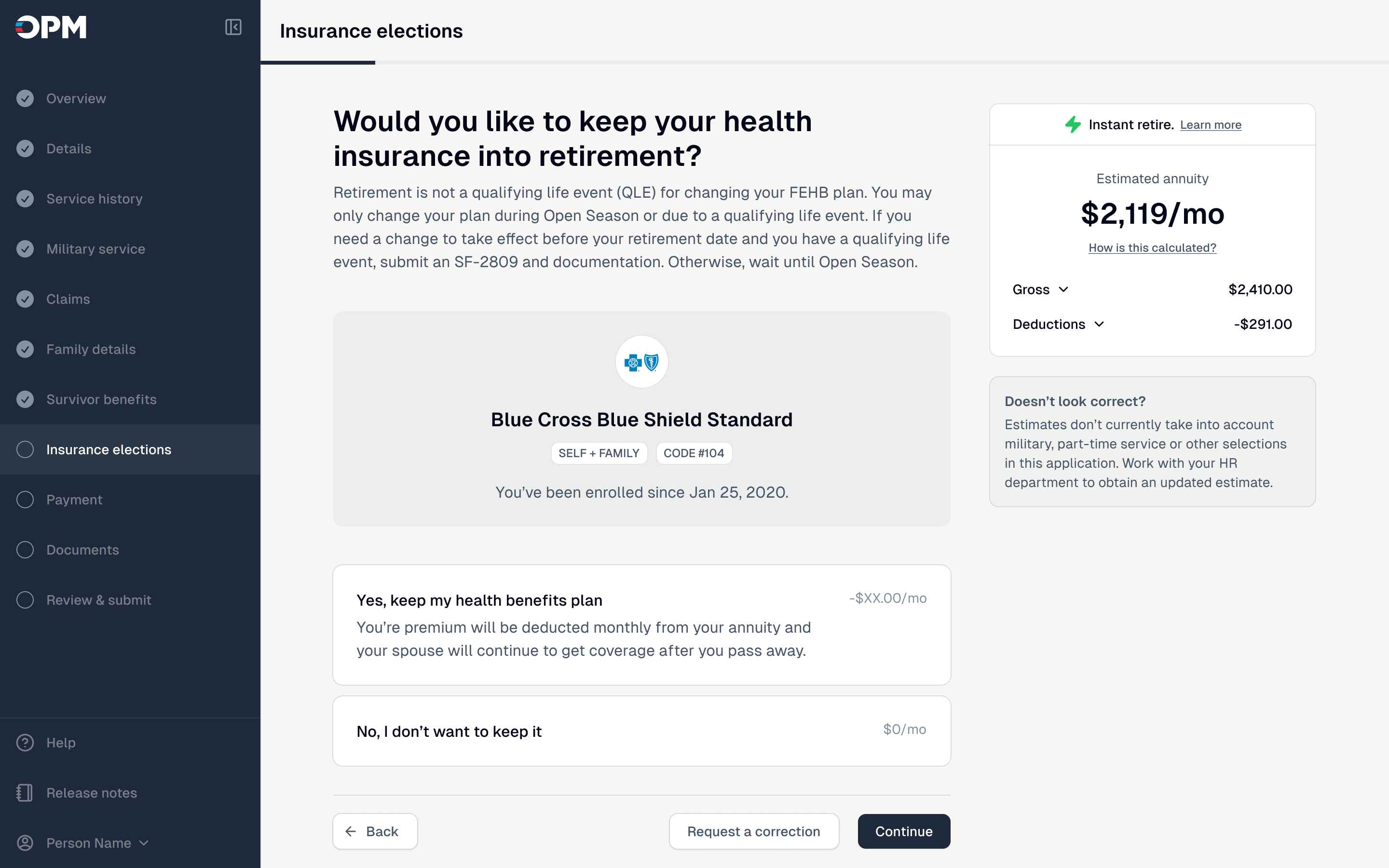
Health insurance elections explain coverage and monthly impact.
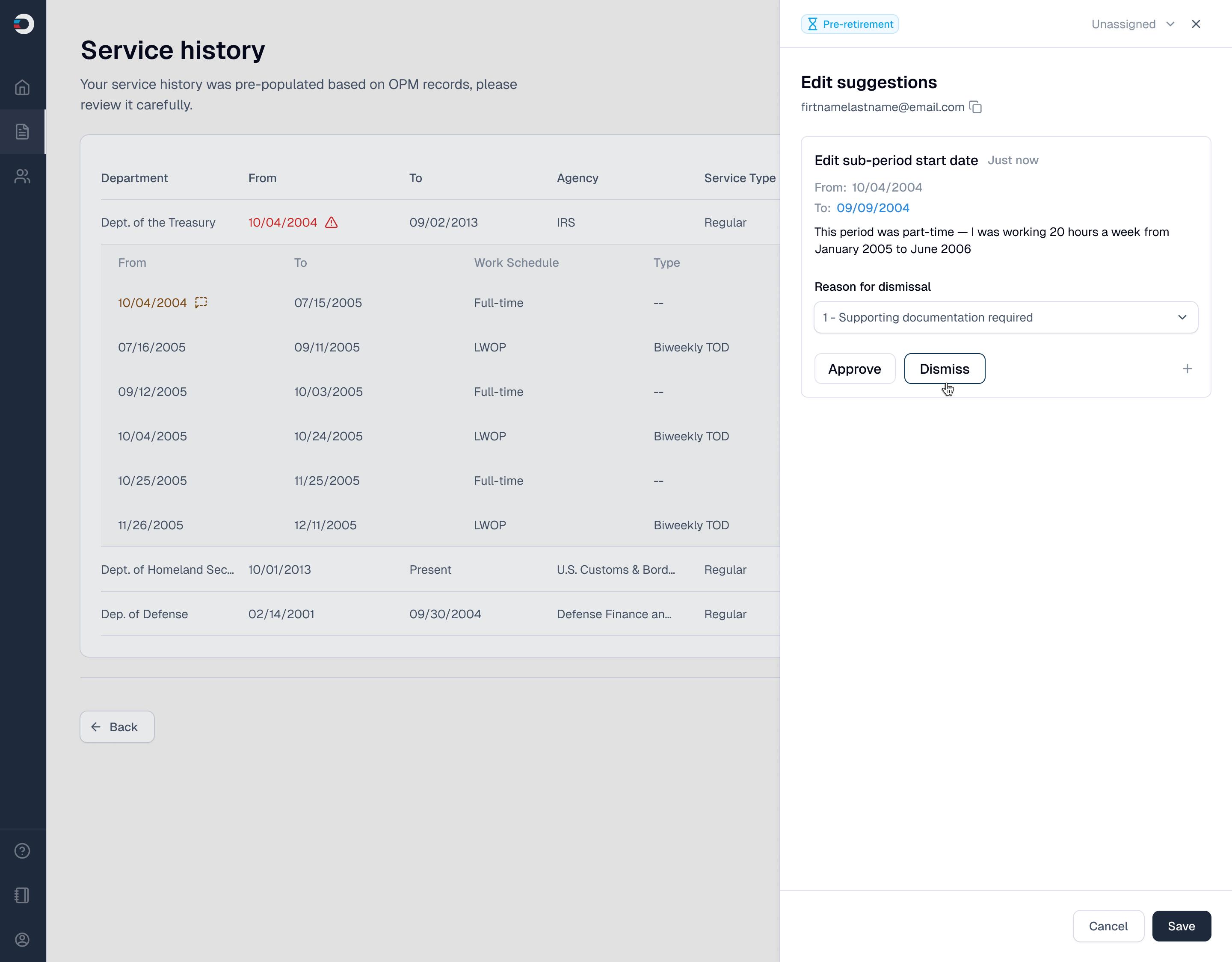
The employee review and HR decision surface share the same underlying case data.
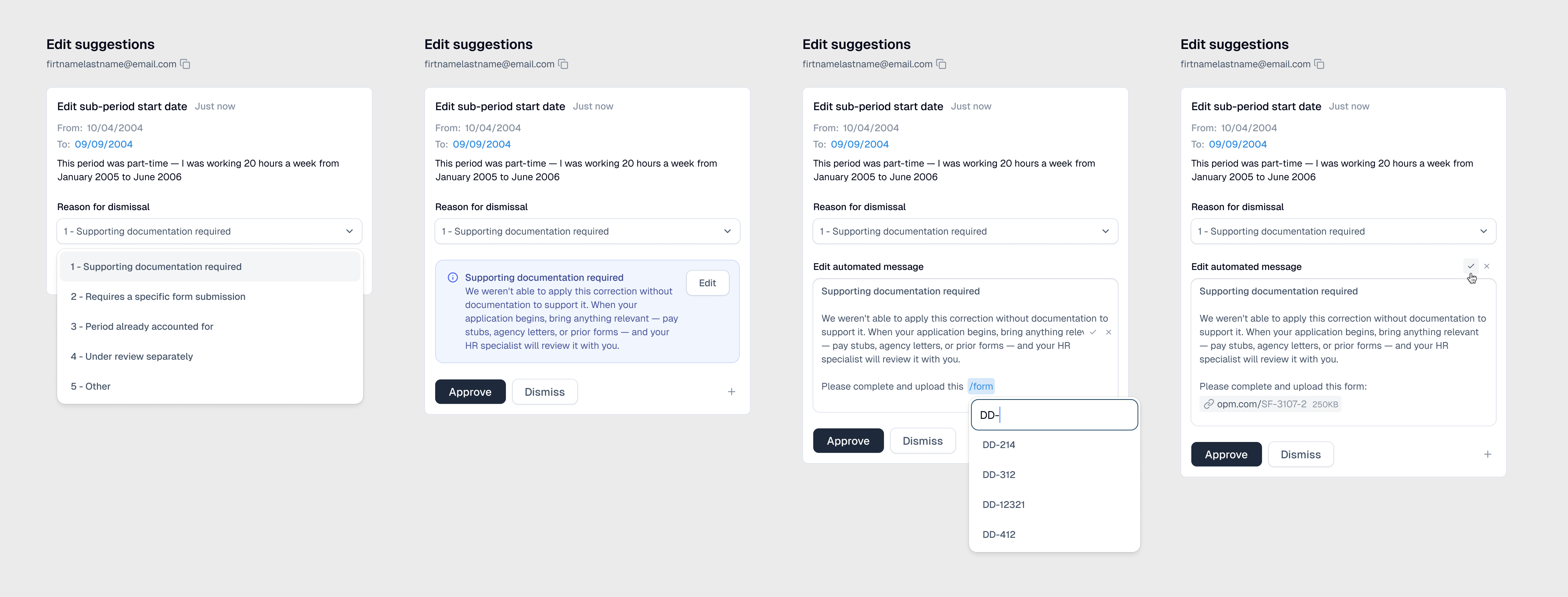
Suggestion states
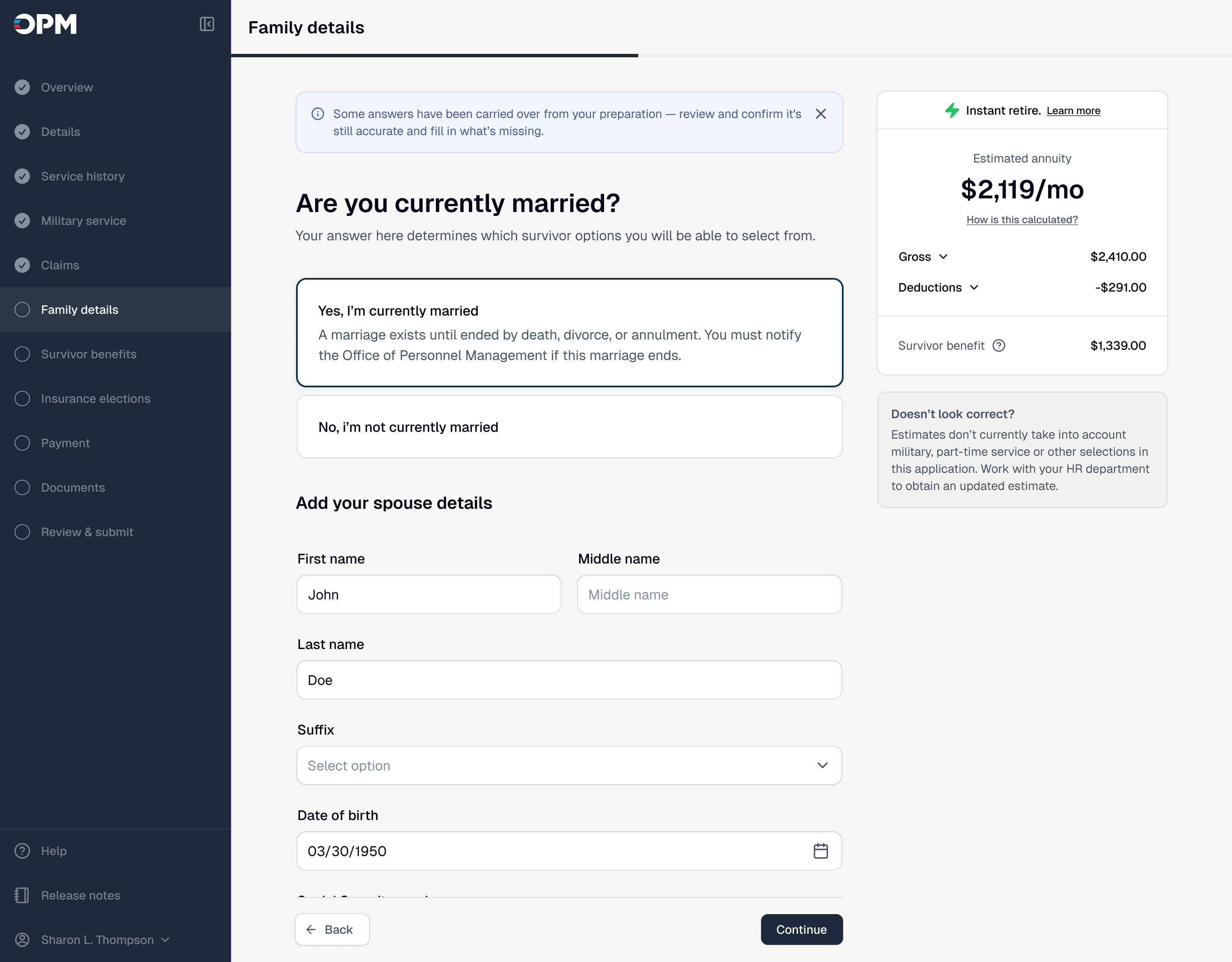
ORA guides employees through retirement step by step while keeping a live estimate in view.
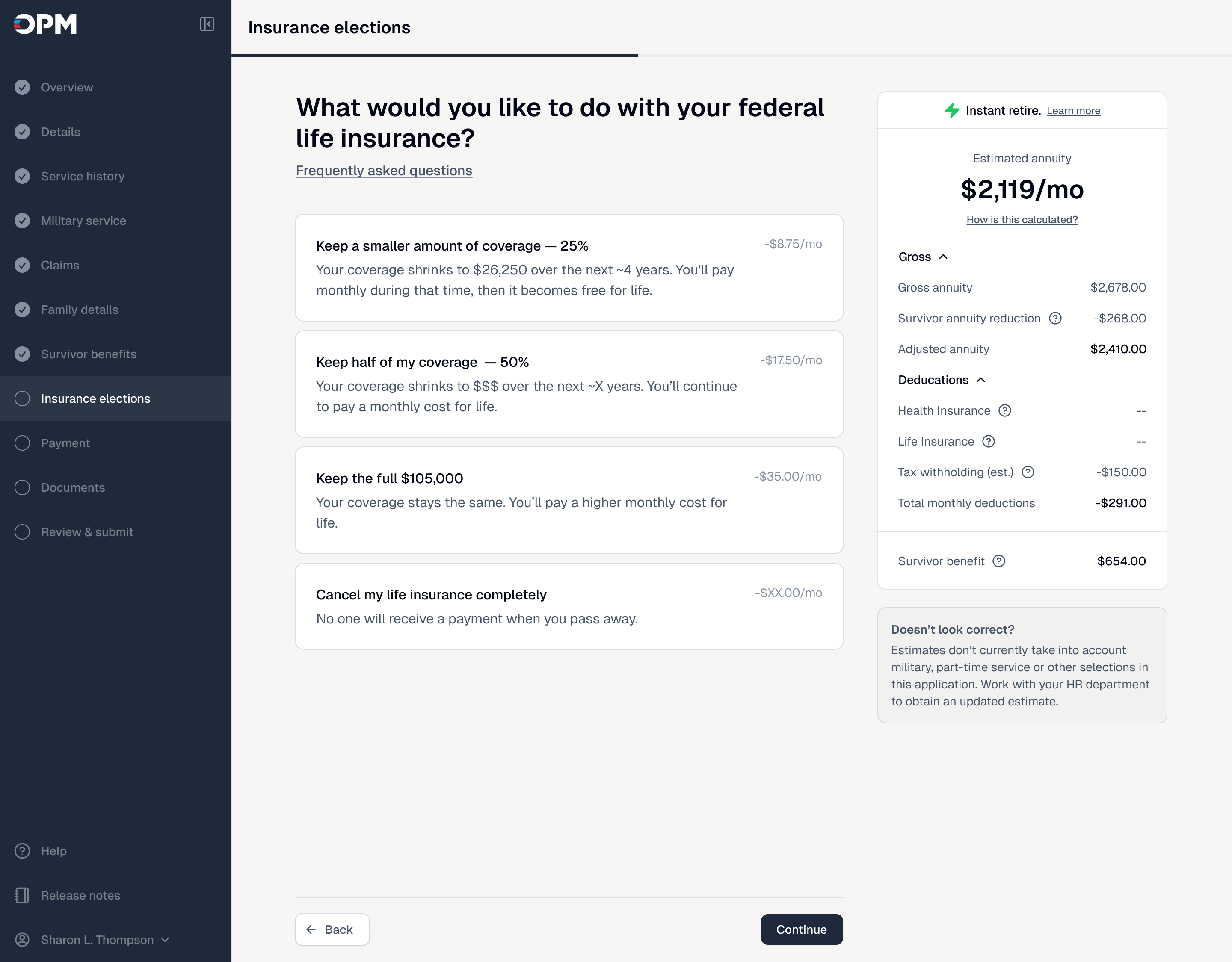
Insurance elections pair plain-language choices with their estimated monthly impact.
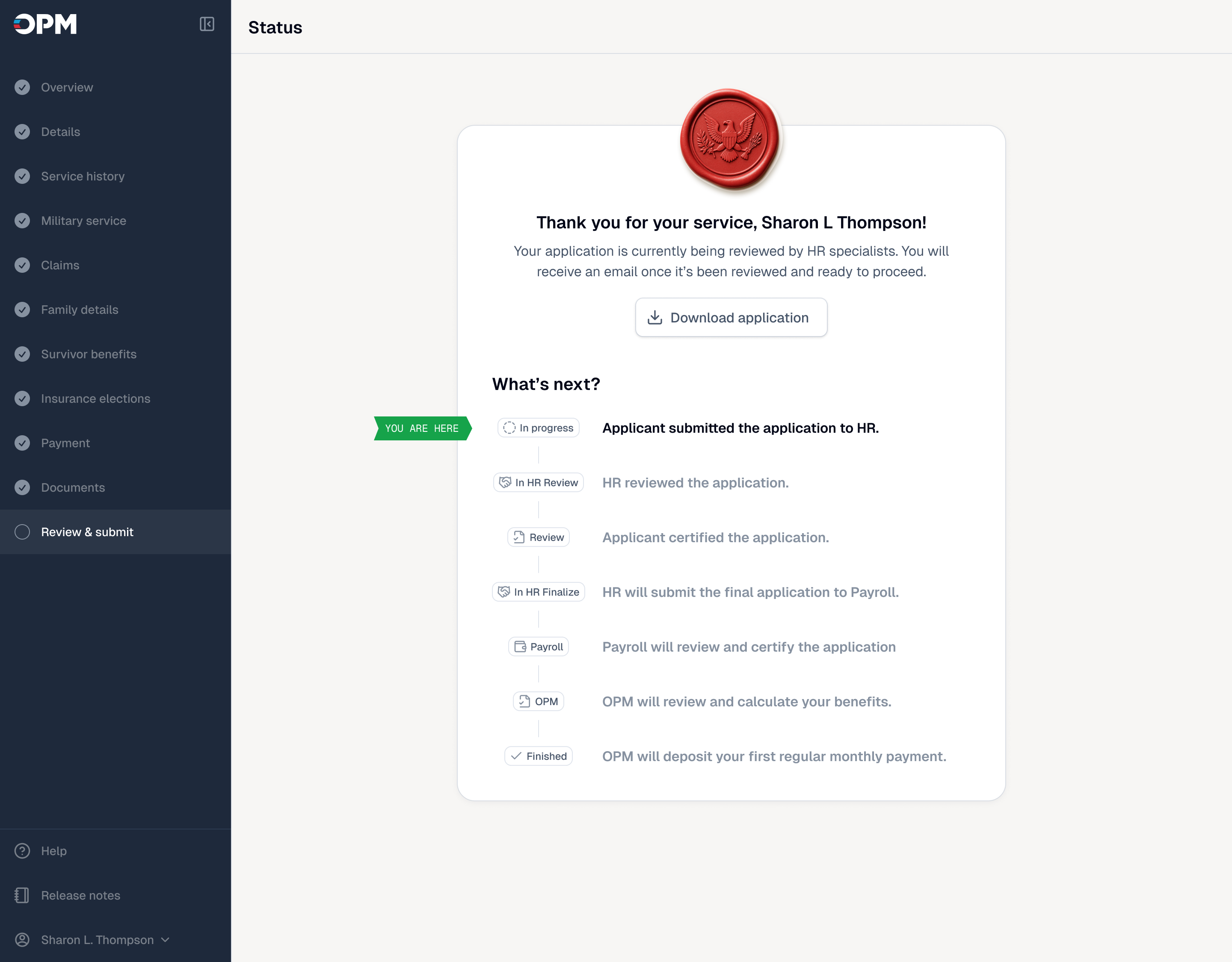
ORA walks employees through retirement in plain steps, on desktop or mobile.
ORA has an employee-facing side and an HR-facing side. The same information needed to feel interactive, guided, and never overwhelming for employees, then translate into a fast, scannable workspace for HR without becoming two separate products.
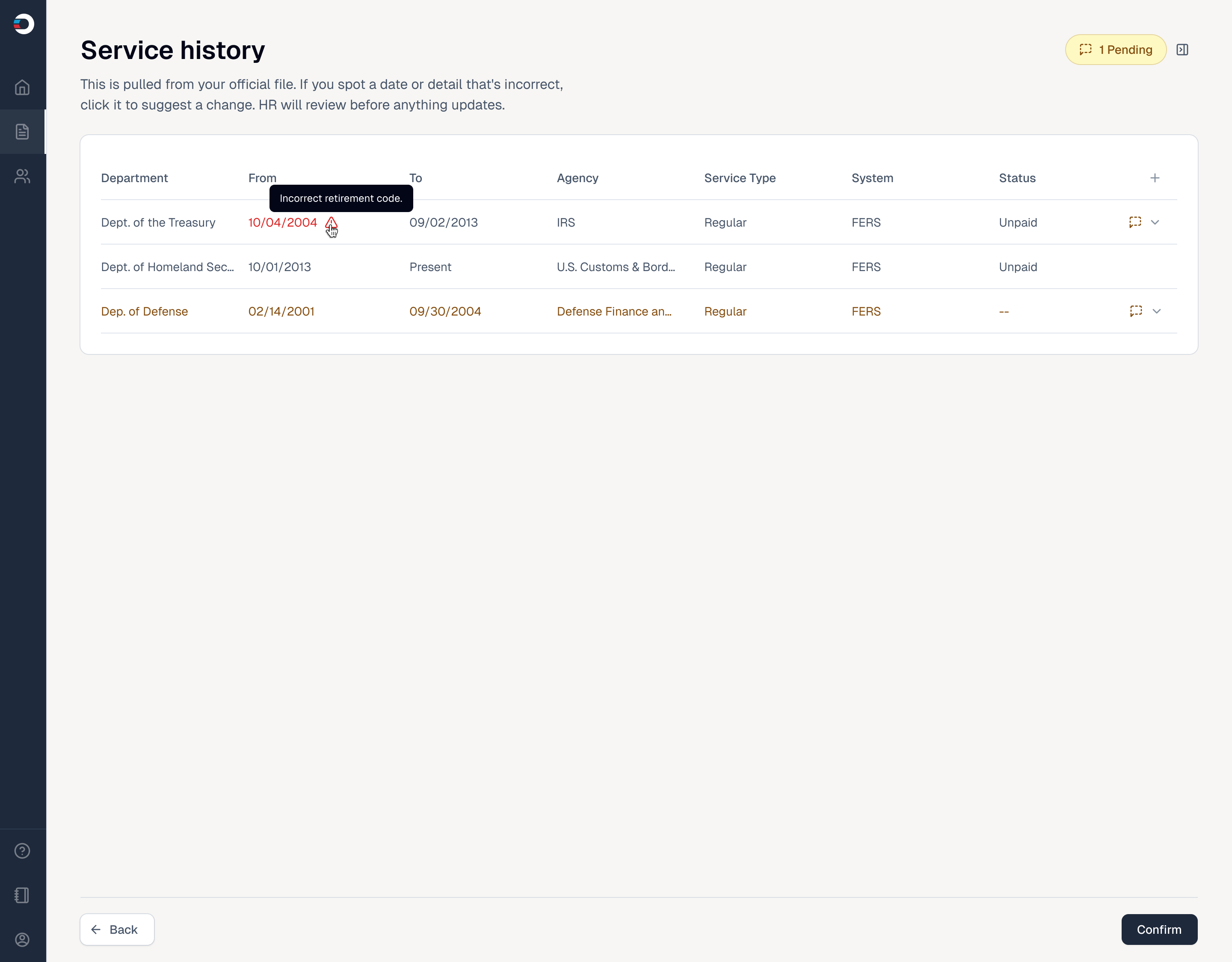
HR sees what changed, why it matters, and the action required.